AtlassianSO
Lorem Ipsum for Confluence
Displays Lorem Ipsum placeholder text in Confluence pages.
Start Off EasilyFree
Check or uncheck all tasks on a Confluence page with one click.
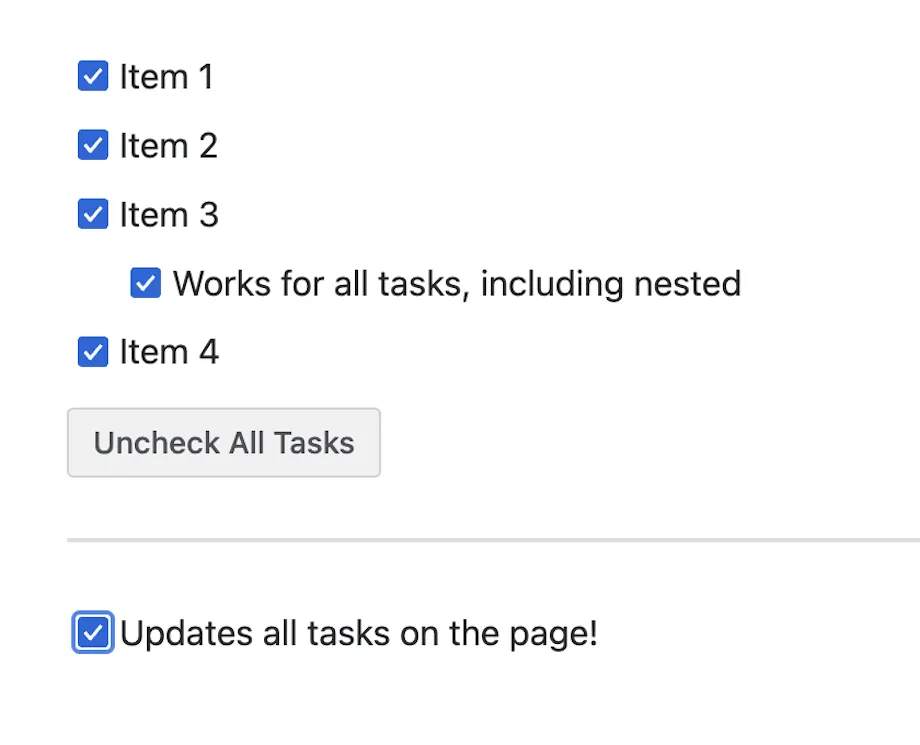
Adds a Confluence macro with a button for marking every task on a page as checked or unchecked. The macro can be placed while editing a page, configured with the desired action, and given a custom button title before the page is saved.
The macro can mark all tasks on a page as checked.
The macro can clear the checked state from all tasks on a page.
A custom title can be set for the macro button, or the default title can be used.
Check/Uncheck Tasks is free and cloud-deployed, as is Lorem Ipsum for Confluence, which was updated in Jun 2026. Figma File Integration for Confluence is paid, cloud-deployed, and was updated in Apr 2023. Miro Boards for Confluence is paid and supports cloud and data-center deployment, while Check/Uncheck Tasks supports cloud deployment only.
| Name | Pricing | Deployment | Updated |
|---|---|---|---|
| this plugin | Free | Cloud | |
| Lorem Ipsum for Confluence | Free | Cloud | |
| Figma File Integration for Confluence | Paid | Cloud | |
| Miro Boards for Confluence | Paid | Cloud · Data Center |
990 plugins in Confluence · Content and communication
Price distribution: 228 free, 378 freemium, 384 paid
Displays Lorem Ipsum placeholder text in Confluence pages.
Start Off EasilyDisplay Figma files on Confluence pages using a macro and a shared file link.
Tech LabsGenerate configurable Lorem Ipsum placeholder paragraphs in Confluence pages with a /placeholder macro.
Philip Lindner
Import and export selected Confluence pages between instances using generated ZIP files.
Documentation Toolkit«This macro allows you to quickly check or uncheck all tasks on a page with a single click. How to use it: 📝 Edit a page Place a cursor at the location on the page where you wish to add the Check/Uncheck Tasks button. Insert a macro " Check/Uncheck Tasks ". (See What are macros ) Click on the macro placeholder and …»