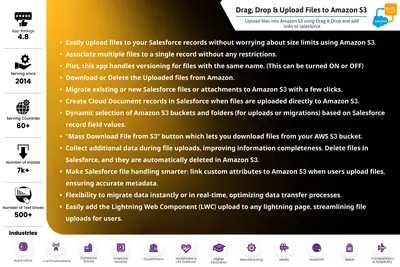
Satrang Drag, Drop & Upload Files to Amazon S3 (Backup Files)
Upload and manage Salesforce files in Amazon S3, with record links, metadata, deletion sync, and versioning.
Satrang TechnologiesPaid
Stores Salesforce files and attachments in external storage with versioning, folders, reports, and Lightning components.

Attachments.expert stores Salesforce files and attachments on Amazon S3, Microsoft Azure, FTP, SFTP, or network storage. It supports file versioning, folder structures, pause and resume, drag-and-drop uploads, and checksums. Users can run reports for files and attachments associated with standard and custom objects. The add-in can be used on Lightning record pages, in screen flows, and on community sites for authenticated and community users.
Stores files and attachments on Amazon S3, Microsoft Azure, FTP, SFTP, or network storage.
Maintains multiple file versions and allows users to return to an earlier version.
Provides folder structures for storing and viewing related files and attachments.
Supports reports for files and attachments on standard and custom objects.
Provides pause and resume functions and drag-and-drop file uploads.
Can be added to Lightning record pages, screen flows, and community sites.
Uses checksums to maintain data integrity and security.
Attachments.expert supports Amazon S3, Microsoft Azure, FTP, SFTP, and network storage, while Satrang Drag, Drop & Upload Files to Amazon S3 and Cloudpond S3 Connector focus on Amazon S3. Azure Integration focuses on Azure Blob Storage and includes real-time or bulk file transfers with SOQL filters and batch processing. FOLDERIZE focuses on hierarchical folders for Salesforce documents, while DocLooper focuses on syncing files between Salesforce and SFTP folders.
| Name | Pricing | Deployment | Updated |
|---|---|---|---|
| this plugin | Paid | Cloud | |
| Satrang Drag, Drop & Upload Files to Amazon S3 (Backup Files) | Paid | Cloud | |
| Cloudpond S3 Connector, Salesforce S3 Integration, AWS S3 Mass File Migration | Paid | Cloud | |
| S3 Connector | Free | Cloud | |
| FOLDERIZE™ - Folder Structure for Salesforce Files and Attachments – Native App | Freemium | Cloud | |
| DocLooper | Paid | Cloud |
206 plugins in Salesforce Platform · Documents and content
Price distribution: 42 free, 19 freemium, 145 paid
Upload and manage Salesforce files in Amazon S3, with record links, metadata, deletion sync, and versioning.
Satrang Technologies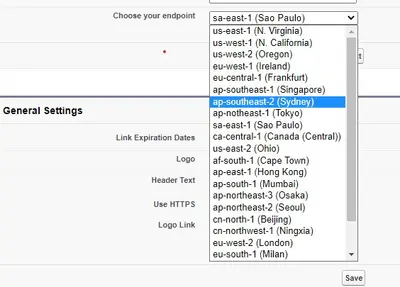
Connects Salesforce records and files to folders in an AWS S3 bucket.
Starpond Inc.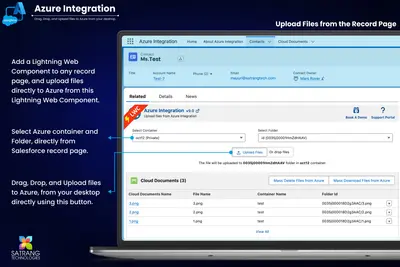
Connects Salesforce Files with Azure Blob Storage for uploads, migrations, downloads, and deletions from Salesforce Lightning.
Satrang Technologies
Track software product adoption and engagement, while delivering files and managing support cases in Salesforce Platform Communities.
CyanGate«Attachments.expert can store your attachments in any of the following storage servers i. Amazon S3 ii. Microsoft Azure iii. FTP iv. SFTP v. Network Storage. It is just like standard Salesforce® attachments & files overcoming built-in limits of size & storage. Users can maintain n number of versions and can go back to …»