Notify 365 For Whatsapp
Sends WhatsApp messages with PDF attachments from Dynamics 365 Business Central using trigger-based templates.
Madhda Business Solutions Private LimitedPaid
Add formatted notes and event notifications within Microsoft Dynamics 365 Business Central.
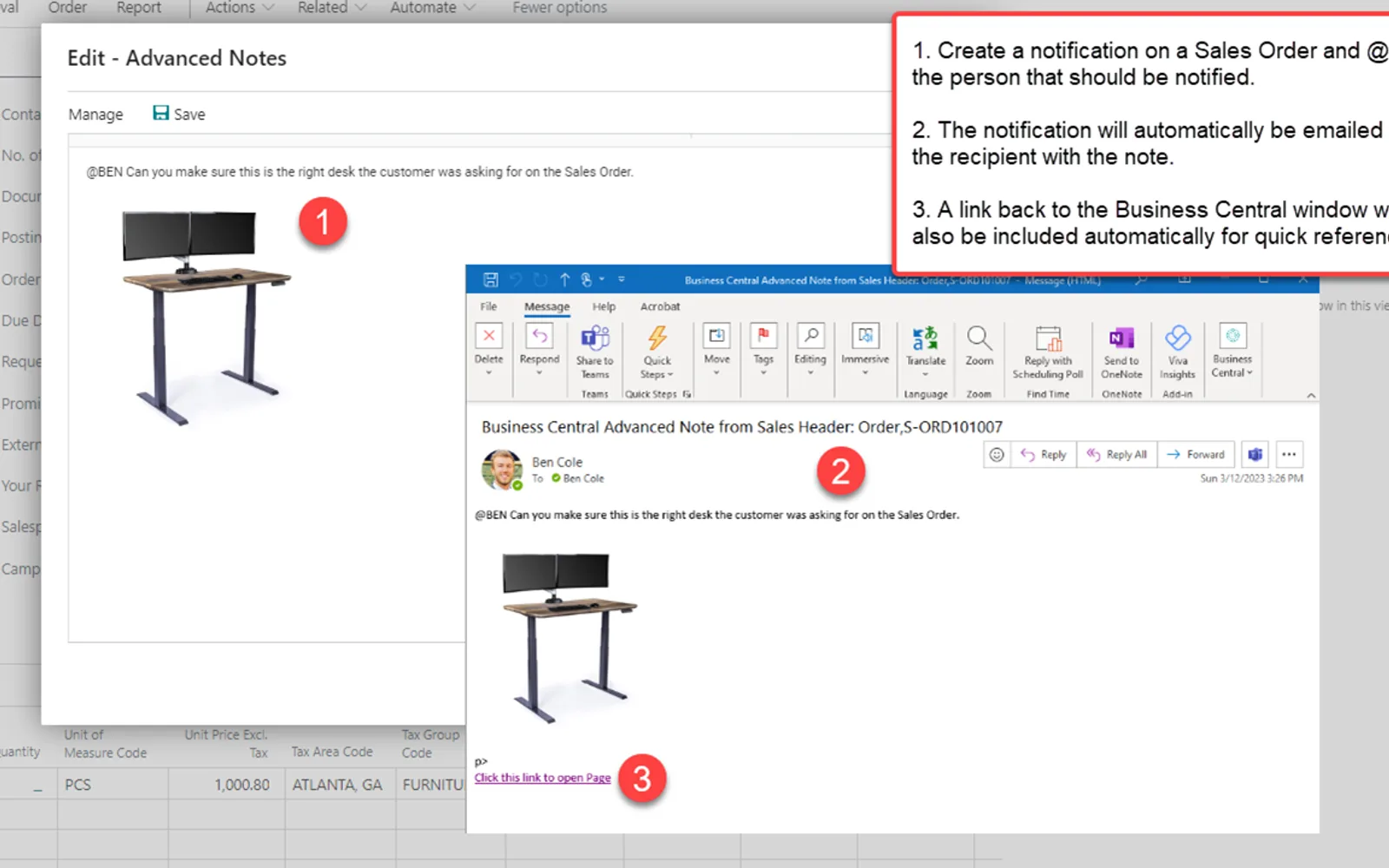
Advanced Notifications adds formatted notes to customer, vendor, item, sales, and purchasing records in Business Central. Notes may contain text, links, and images, and may be sent by email to users or groups with a link to the related record. The extension supports tagging people or groups from supported Business Central pages. It can also create alerts for order activity, inventory changes, job queue failures, and credit limit events.
Adds HTML-based notes with text, links, and images to selected master data, sales records, and purchasing records.
Uses the @ symbol to tag users or groups and create in-app or email notifications.
Creates notifications or emails for events such as approvals, receipts, shipments, inventory changes, job queue failures, and credit limit conditions.
Shows formatted notes for customers, vendors, and items, including on related sales and purchase documents.
Provides settings for notification recipients and for storing messages as Business Central notifications, emails, or both.
Loads notes from a previous system into the extension's pop-up and ad hoc note areas through XML import.
Provides a way to convert Advanced Notes to Azure Blob Storage.
Advanced Notifications and Notify 365 For Whatsapp are paid cloud listings, as are ChargeLogic Notify, Auto Email, Clever Comments, and Astral Send. Their listed update dates are Aug 2026 for Advanced Notifications, Jul 2025 for Notify 365 For Whatsapp, May 2025 for ChargeLogic Notify, Aug 2026 for Auto Email, Jun 2026 for Clever Comments, and Nov 2025 for Astral Send.
| Name | Pricing | Deployment | Updated |
|---|---|---|---|
| this plugin | Paid | Cloud | |
| Notify 365 For Whatsapp | Paid | Cloud | |
| ChargeLogic Notify | Paid | Cloud | |
| Auto Email | Not in catalog | ||
| Clever Comments | Paid | Cloud | |
| Astral Send | Not in catalog | ||
98 plugins in Dynamics 365 Business Central · Sales
Price distribution: 8 free, 3 freemium, 87 paid
Sends WhatsApp messages with PDF attachments from Dynamics 365 Business Central using trigger-based templates.
Madhda Business Solutions Private Limited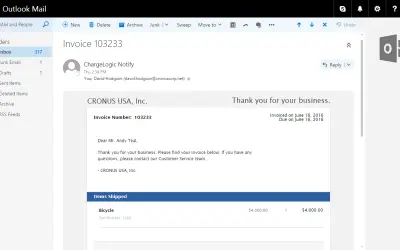
Sends customized, automated customer emails from invoices, orders, and shipments in Microsoft Dynamics 365 Business Central.
ChargeLogic, LLC
Clever Comments adds free-form comments and pop-up notifications to documents in Dynamics 365 Business Central.
Clever Dynamics
Records produced quantities and times used at workstations, with barcode entry, in Microsoft Dynamics 365 Business Central.
EOS Solutions«This version supports the NA, NZ, GB, FR, DE, AU, NL, FI, SE, W1 Localizations only. For Additional Localizations see Additional App Listings. Includes Free 30-Day Trial. Advanced Notifications (ANT) empowers users to create advanced Rich Text HTML notes on Customers, Vendors, Items, Sales Documents, and Purchasing …»